
Before you start
DeliveryKing receiving software connected to your shop. Changes to the shop require a working connection.
The recorded interface is German. German button labels remain identifiable in all translations. Some labels may differ in your installed version.
Step by step
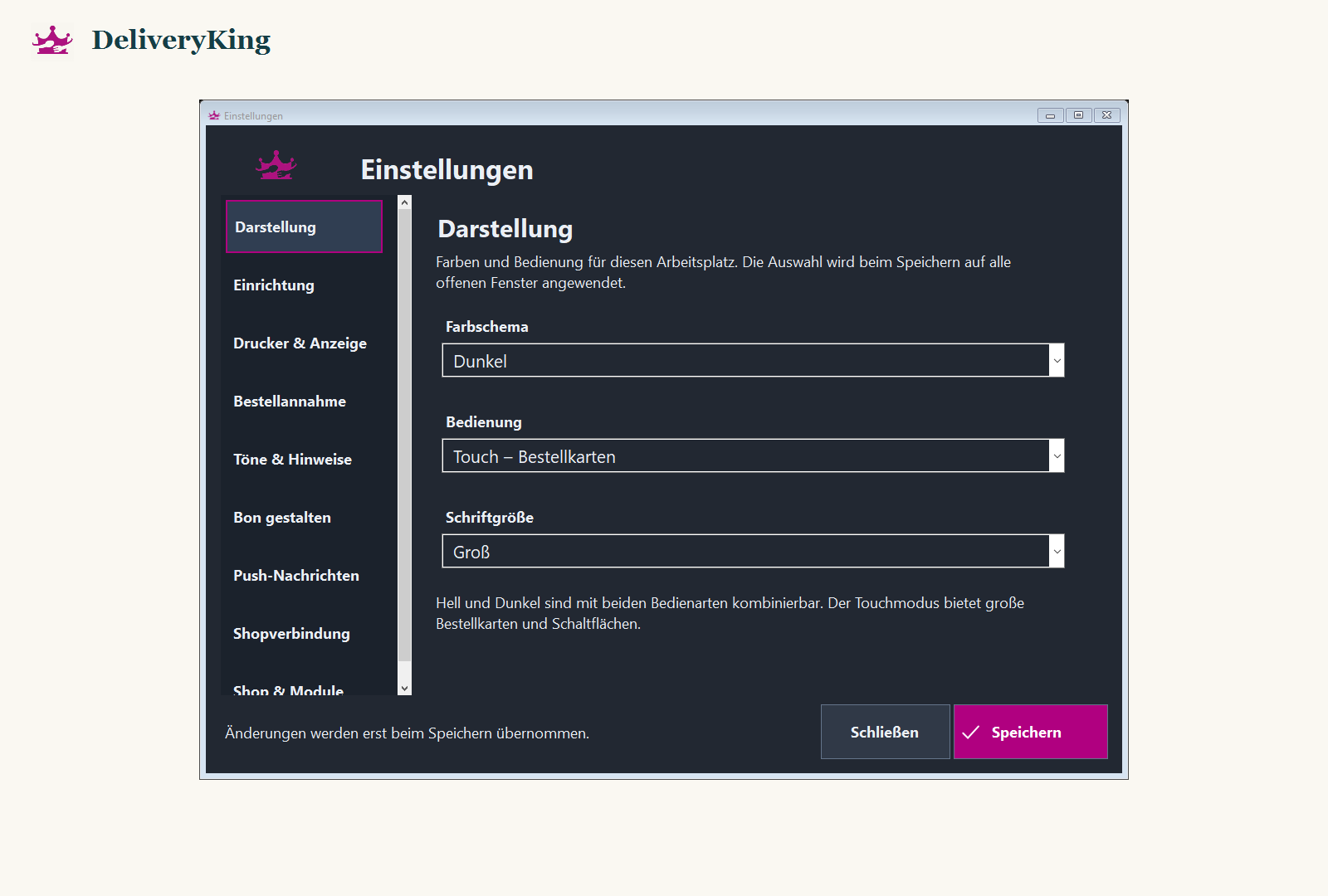
Open “Einstellungen” and the appearance section.
Choose light or dark independently of standard or touch controls. Adjust text size so order information is readable.
Save and check the order overview and dialogs. Also try navigation using Tab and Enter.
Screen reference
Check the result
Increase text further if needed instead of moving closer to the screen.