
Before you start
DeliveryKing receiving software connected to your shop. Changes to the shop require a working connection.
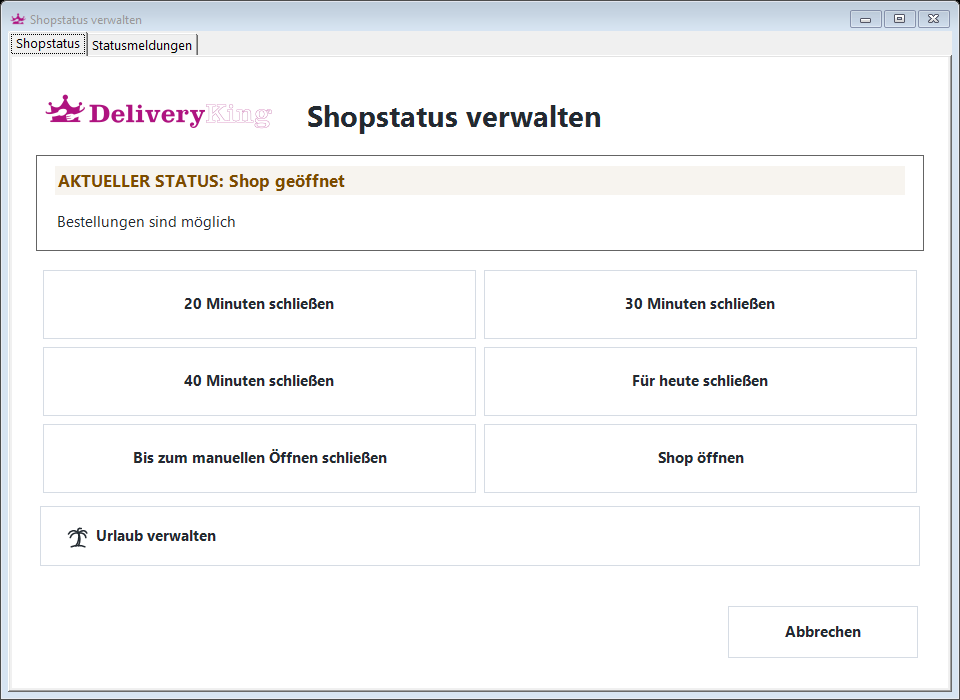
The recorded interface is German. German button labels remain identifiable in all translations. Some labels may differ in your installed version.
Step by step
Open shop controls using “Shop schließen” in the receiving software. Read the current state.
Choose a short pause, closure for today or closure until manually reopened. Check the displayed end before confirming.
Check the status in the shop. To end the closure early, use the available reopening action.
Screen reference
Check the result
Opening hours and holiday blocks still apply after reopening.