
Before you start
An installed shop, access to DeliveryKing administration and permission to change this setting. Check changes in the shop afterwards.
The recorded interface is German. German button labels remain identifiable in all translations. Some labels may differ in your installed version.
Step by step
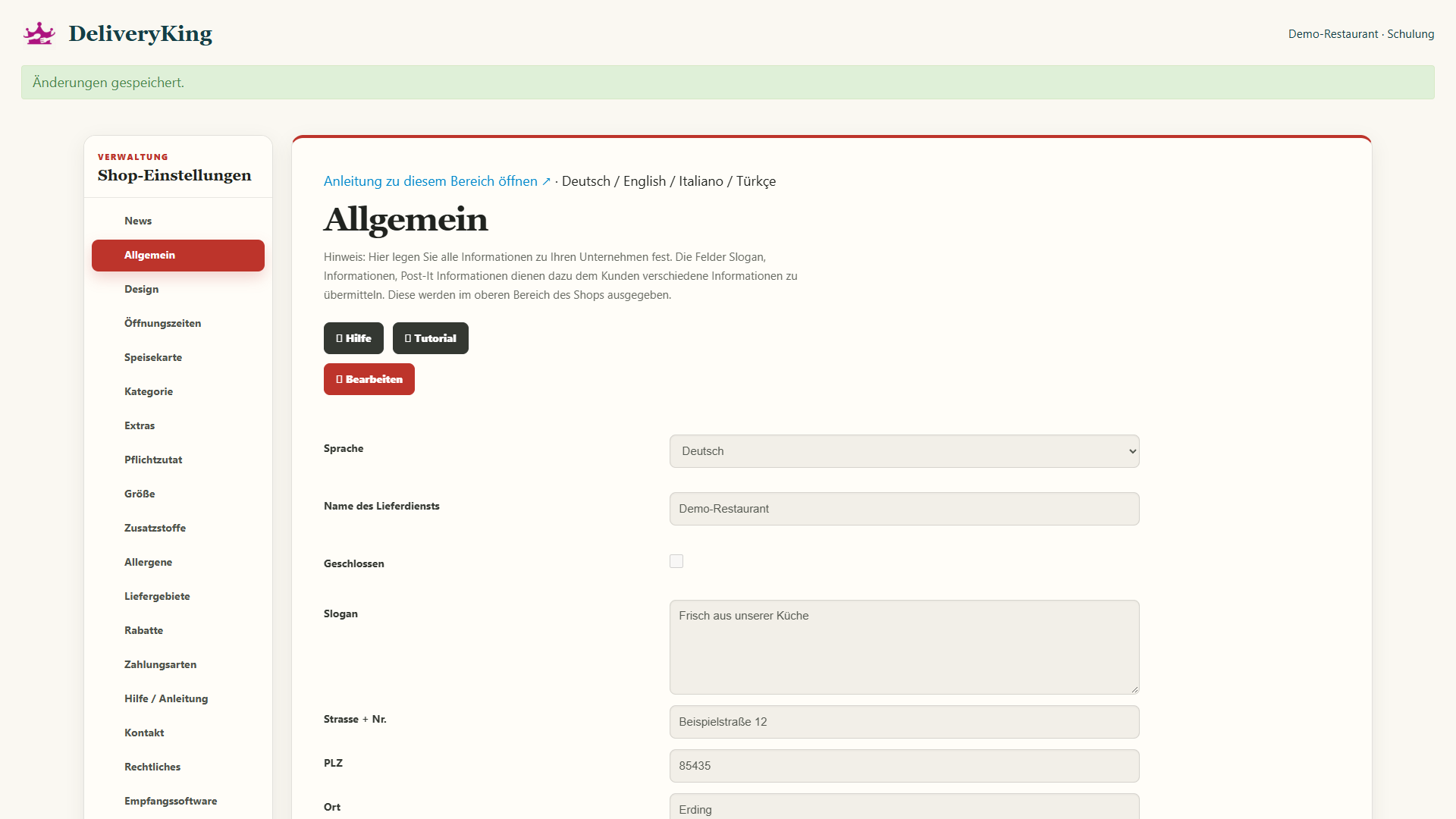
Open “Allgemein” in shop administration. First check that you are viewing the correct restaurant. Choose “Bearbeiten” to enable the fields. Below your restaurant’s name you will find the “Geschlossen” checkbox.
Tick “Geschlossen”. Then scroll down and choose “Speichern”. Only then is the change applied. This closure has no automatic end. It stays in place until you clear the checkbox and save again.
When you are ready to take orders again, reopen “Allgemein” and choose “Bearbeiten”. Clear “Geschlossen” and save this change too. Once the page reloads, check that the box is no longer ticked.
Screen reference
Check the result
Finally, check your public online shop too. Regular opening hours and scheduled closed days still apply. For planned holidays, use “Schließzeitraum” under “Öffnungszeiten”. There is a separate guide for that.